Sunday, September 14, 2008

Computer basics

We covered this, but I'll add these terms to the blog for clarity.

An Operating System (OS) is the a software program that works as the interface between the user and the hardware. Examples of Operating Systems are Windows XP/Vista, Linux, Mac OS/X, and Unix. Modern Operating Systems support multiple programs (processes) and multiple users at one time. The OS manages everything on the computer such as: programs that are running (processes), files that are open, network connections, users who are logged on (and their processes, files, etc), memory usage, etc.


A process is a program that is currently running (executing) on a computer. Every process running has a unique number associated with it called a Process Identifier (PID). This allows the Operating System to keep track of each process. A process that is running is currently in main memory or Random Access Memory (RAM).

Random Access Memory (RAM) or main memory is a volatile form of computer storage that for items that are currently being used on the computer. Processes (and data needed by the processes) that are currently running must be in RAM in order for them to run.


A Hard Disk or Hard Drive is a piece of hardware that is used for longterm storage. Every time you save documents and pictures they are on the hard drive.


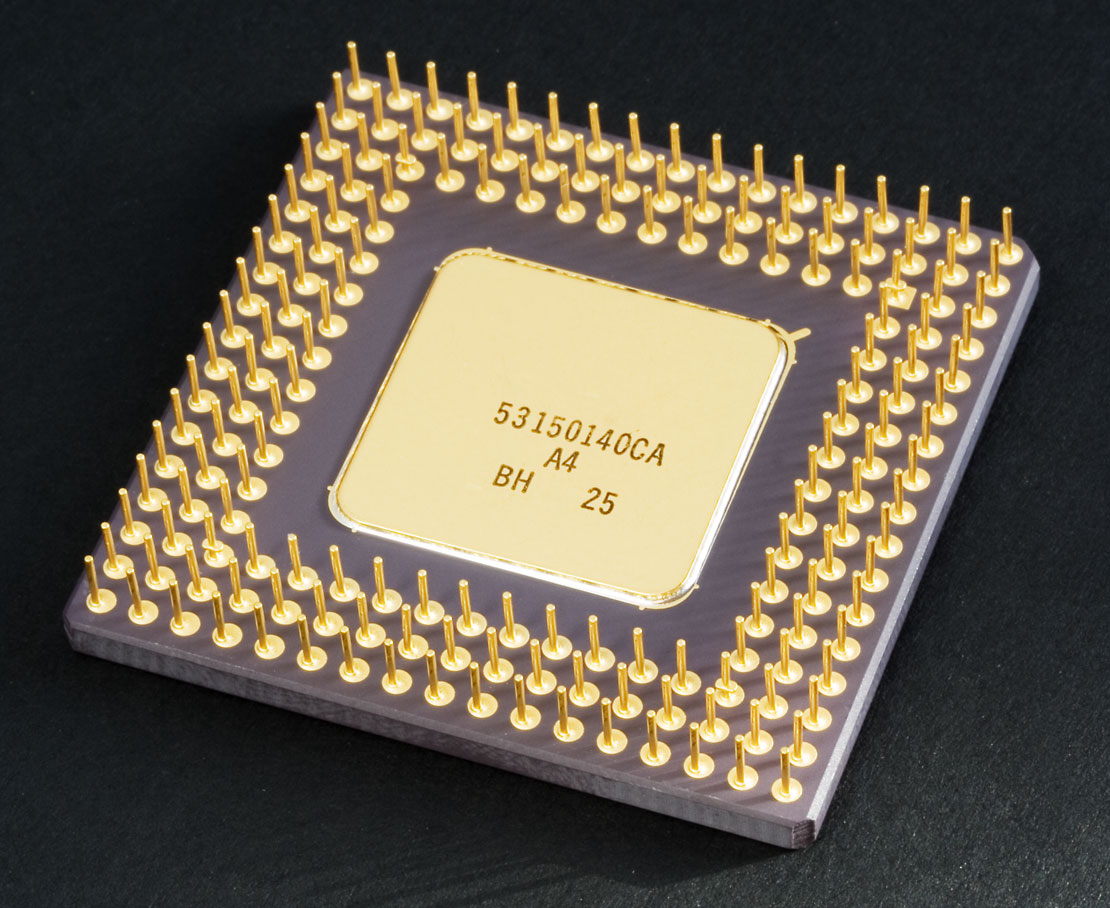
A Central Processing Unit (CPU) is hardware that is the brain of the computer. All instructions by programs running on the computer are processed by the CPU.


A user is someone who is currently using the computer or programs on the computer.

A programmer is someone who creates computer programs. Programs are created using programming languages. Some example programming languages are C, C++, Java, Perl, and Python.

Binary is a numerical system that contains only 1's and 0's and is the basis representing ``On'' and ``Off'' switches in computer circuits. This is what the computer understands and speaks as a native language. Most computers use the ASCII encoding scheme to represent characters. You can find a table of these values here.

Hex (short for hexadecimal) is a base-16 numerical system that contains the characters 0-9 and A-F.

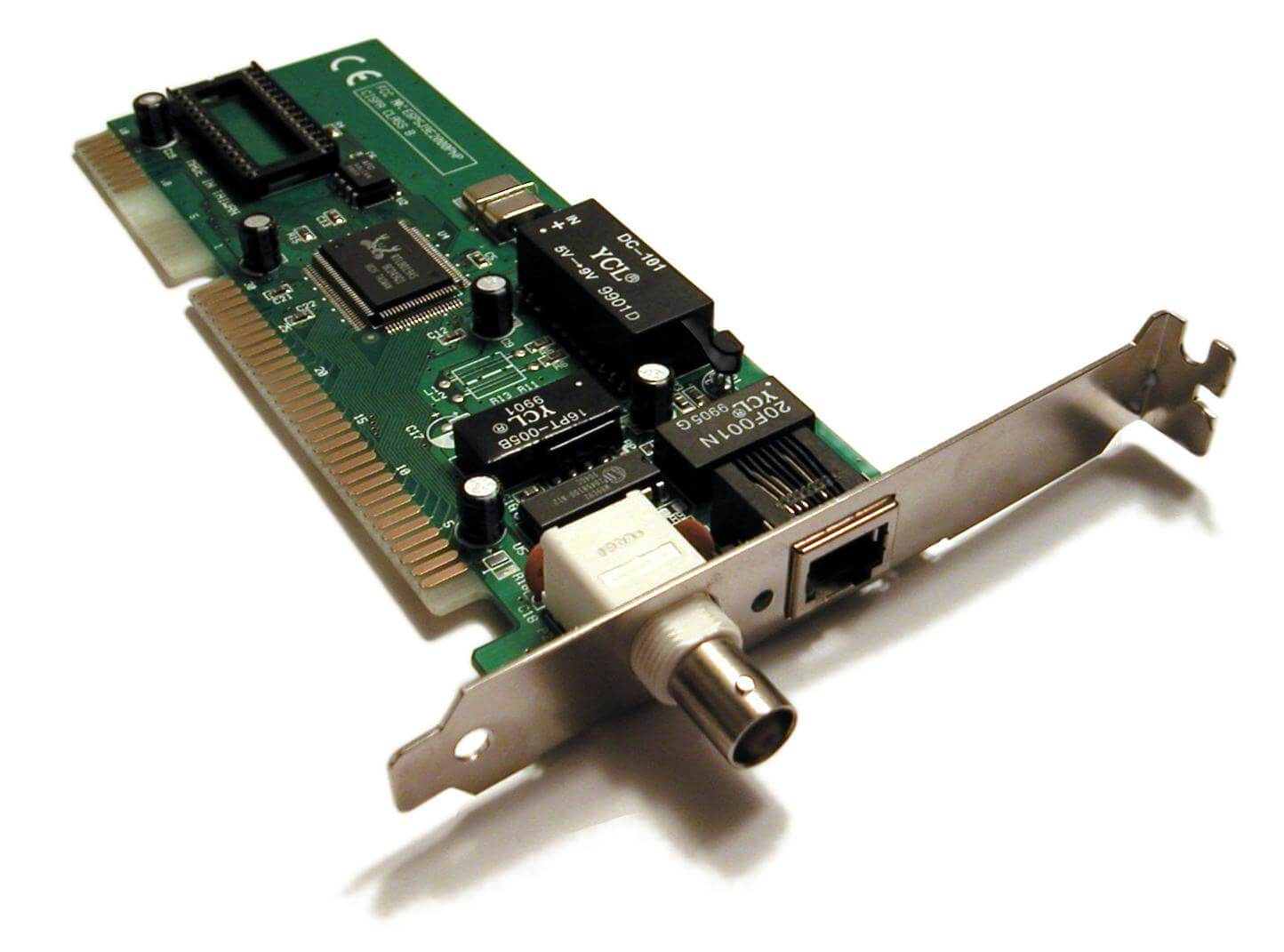
A Network Interface Card (NIC) is a piece of hardware that allows a computer to communicate on a computer network.


An Internet Protocol (IP) address is a numerical address for a computer on a network. An example of an IP address might be: 192.168.0.99

A Media Access Control (MAC) address is the hardware address of a computer on a network. It is assigned by the maker of the computer's NIC card. An example of a MAC address might be: 00:3G:2D:10:AF:7E

A Port is the result of a program on a computer that is connected to the network. This results in an ``opening'' on the computer to the network. There are 65536 ports numbered from 0 to 65535. Well known ports range from 0-1023, which means that we can usually tell which programs are running if we see these ports are open. This doesn't mean that these programs can change ports, however, just that they normally run on these known ports. Here you can find a list of known port numbers. Here is a look at nmap being used to see the open ports on a computer:


# nmap -O 192.168.0.10

Starting Nmap 4.52 ( http://insecure.org ) at 2008-09-10 00:14 EDT
Interesting ports on 192.168.0.10:
Not shown: 1709 closed ports
PORT STATE SERVICE
135/tcp filtered msrpc
137/tcp filtered netbios-ns
138/tcp filtered netbios-dgm
139/tcp filtered netbios-ssn
445/tcp filtered microsoft-ds
MAC Address: 00:XX:XX:AA:99:44 (Intel)
Device type: general purpose
Running: Microsoft Windows 2003|XP
Too many fingerprints match this host to give specific OS details
Network Distance: 1 hop

OS detection performed. Please report any incorrect results at http://insecure.org/nmap/submit/ .
Nmap done: 1 IP address (1 host up) scanned in 15.992 seconds


Transmission Control Protocol (TCP) is a connection oriented network connection (like a phone call). For more information see Wikipedia.

User Datagram Protocol (UDP) is a connectionless network connection (like the mail). For more information see Wikipedia

Live forensics tools

Here is a list of tools that you will use for your Live Forensics homework:


Once you have downloaded all of these tools create a folder on your machine in order to extract and keep them. For example: C:\forensic

Extract each of the zip files into this folder. If you need a zip program, you can download 7-zip for free. I actually recommend this program, since it can handle several archive/zip types. Though some of these zip files will automatically extract themselves into their own folders, some will not. So you might want to make a folder for each application prior to extracting the contents of the zip files.

More information is in the slides. More instructions soon...

Friday, September 12, 2008

Cygwin Installation

For class we will use Cygwin which is a Linux-like environment for windows. Since most of you have Windows machines, this will allow you run tools that normally run under Linux/Unix environments.

The setup file is here.

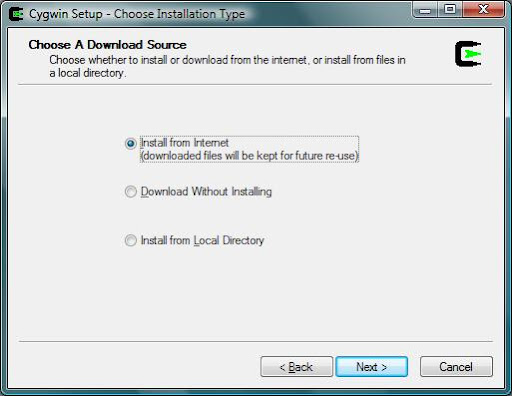
When you download setup, double click it. You should see the following:


Press ``Next'' and choose ``Install from the Internet'' :


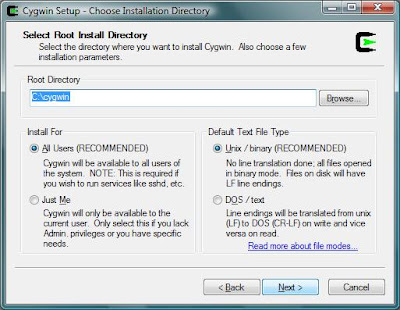
Choose where to install Cygwin (by default it is in C:\Cygwin):


Cygwin will create a directory in which it will store the its files during installation. After installation you can delete the folder. The default location is the desktop:


Select your internet connection. The default is OK:


Select a mirror (mirrorservice.org is good):


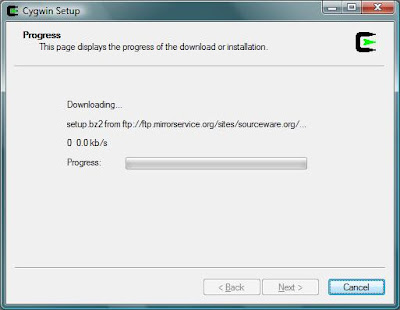
Press ``Next'' You should see the following:


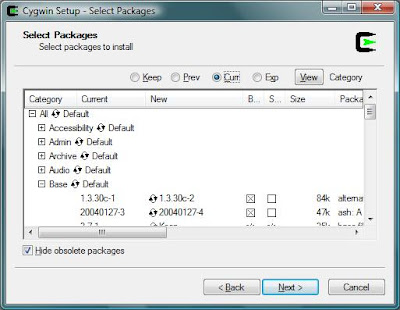
Next you will see a list of packages you can download. By default these are organized by category:


If you press the plus signs on the left hand side, it will open up the category and you can select specific packages:


Here is a list of packages you need organized by category:

    From the Base category
  1. Everything
    From the Devel category
  1. Gcc: C, C++, Fortran compilers
  2. gcc-mingw: Mingw32 support headers and libraries for GCC
  3. gcc2: Version X.XX.X [whatever is latest] of C, C++, Fortran compilers
  4. gdb: The GNU Debugger
  5. make: The GNU version of the `make' utility
  6. mingw-runtime: MinGW Runtime
  7. openssl-devel: The OpenSSL development environment
    From the Editors category
  1. Nano: A pico clone text editor with extensions [works like pico]
  2. vim: Vi Improved – enhanced vi editor
    From the Interpreters category
  1. Perl
  2. Python
    From the Utils category
  1. until-linux: Random collection of Linux utilities
  2. file
  3. ELFIO
    From the Text category
  1. less: A file pager program, similar to more(1)


After you have made your selections, press next for installation to begin. This part is the actual installation, and may take some time. Just let it finish. After it finishes you will be asked if you want to create shortcuts on the desktop. Make sure to click Finish.

Running Cygwin

When you run Cygwin for the first time, it might take a little longer to start up. This is because it is configuring
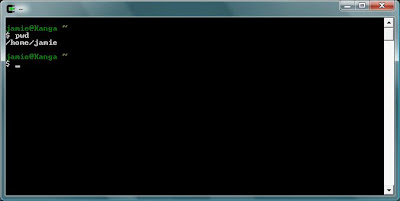
a few more files for your environment. Then you should get a command line prompt that looks like:

You are now able to work on your programs at home on your windows machines.

Tuesday, September 9, 2008

CSAW Competition

NYU-Polytechnic University is having their yearly Cyber Security Awareness Week competition. All students (part-time, full-time, H.S., undergradate, graduate) are allowed to participate in the competitions. They have several competitions available:

+ Security Quiz
+ Application Security CTF
+ Forensics Challenge
+ Essay Contest
+ Awareness Poster Design Competition
+ Embedded System Challenge
+ Research Poster Competition

You may compete alone or in a team if you like. You must register in order to compete. Registration ends Sept 11th so sign up quickly! It costs nothing to participate and there are cash prizes for winners. Check out the details for each of the competitions online.

Monday, September 8, 2008

Integrity matters

At some point we mentioned the misguided intentions that people may have when breaking into computer systems. There appear to be seven common motives involved that we discussed [1]:

1. Boredom
2. Intellectual challenge
3. Revenge (disgruntled employee)
4. Sexual gratification (stalking, harassment)
5. Economic
6. Political (terrorists, spies)
7. Fame

We also discussed cases in which the perpetrator was hired as a security consultant after the incident (and often by the very company s/he penetrated). The question arises: ``Should people be given a second chance?''

On one hand, you have the argument that this person is highly skilled, so who better to have as a security consultant? S/he already knows the security issues of the company in question. S/he knows what things to protect against. Also don't people deserve a second chance? People can change and not everyone is a recidivist.

On the other hand, how can you trust someone who just penetrated your network and therefore knowingly broke the law? There is already an issue with the moral fiber of the perpetrator due to his/her actions in the incident. How can we know that this person will not do something illegal in the future either against this company or someone else in the future? There are other issues that cause one to question hiring this person - not just because s/he has questionable tendencies, but also because there may have been little actual skill involved in the penetration itself. The person could have gotten lucky, or just used a common tool and may not really understand the technical matters of the attack itself. Also it is often argued that it is much easier to break something than to protect it from potential threats. Therefore just because someone breaks into a network does not mean that they are an expert (there are numerous exceptions to this however).

There was an interesting blog post by Richard Beijtlich of Tao Security about this subject of trusting ``reformed hackers'' (remember I don't like using the term hacker in a negative light like this, but this is from the article...). I don't know enough about this particular case mentioned to cast any opinions and certainly don't want to draw any malicious attention my way, so I'll let you read the article and come to your own conclusions. Make sure to read the comments as well.

Perhaps it would be better to hire this person after sufficient time has passed since the incident (after s/he has proven himself/herself trustworthy). However, doubts will most likely remain.


What are your thoughts about this?

[1] Marjie Britz, Computer Forensics and Cyber Crime: An Introduction
Prentice Hall, 2004

Sunday, September 7, 2008

9/3/08: Other Notes

In the last class we talked about some things that are not covered in the slides alone.

We talked about the Morris Worm and about its creator Robert Tappan Morris (RTM). We talked about the aftermath and conviction of RTM as well.

We talked about Social Engineering briefly as well. Here are some videos regarding this:

Here is a video on how to social engineer a free pizza:


The Social Engineering Panel at The Last HOPE


C|Net article on this panel

I also said I would include a link to videos from The Last Hope Videos.

9/3/08: Slides

Sorry for the late post! The slides are now up on Blackboard under ``Course Documents.'' Future slides will be placed there as well.

Let me know if you have any problems downloading/viewing them.